User Management
Manage team members and their access to your VendVice account.
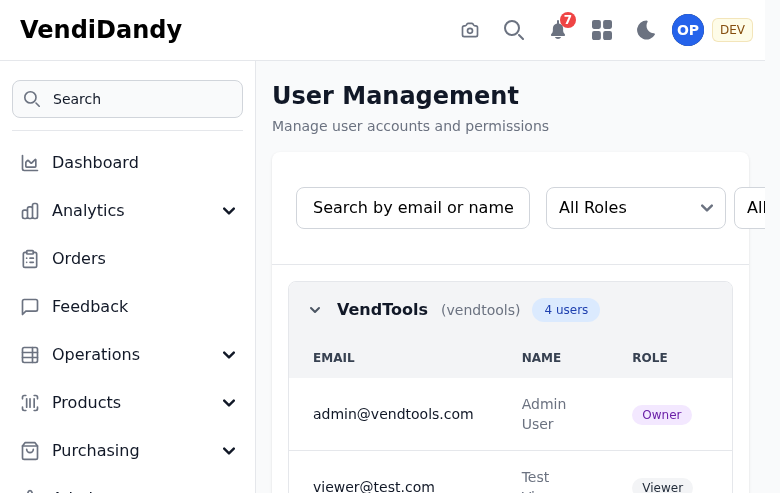
Viewing Users
Go to Settings > Users to see all users in your organization:
- Name - User's full name
- Email - Login email
- Role - Assigned permission role
- Status - Active or invited
- Last Login - Recent activity
Inviting Users
To add a new team member:
- Click Invite User
- Enter their email address
- Select a role
- Click Send Invite

The user receives an email with:
- Welcome message
- Link to set their password
- Instructions to get started
User Roles
Assign roles to control access:
| Role | Access Level |
|---|---|
| Admin | Full access, can manage users |
| Manager | View all data, manage machines |
| Operator | Restock and inventory operations |
| Viewer | Read-only access |
See Roles for detailed permissions.
Editing Users
Click on a user to:
- Change their role
- Update their name
- Reset their password
- View activity log
Deactivating Users
To remove access:
- Click on the user
- Click Deactivate
- Confirm
Deactivated users:
- Cannot log in
- Retain their history
- Can be reactivated later
Activity Log
View user activity:
- Click on a user
- Select Activity Log tab
Shows:
- Login history
- Actions performed
- Data changes made