HaHa Integration
Connect to the HaHa vending management system for automatic data synchronization.
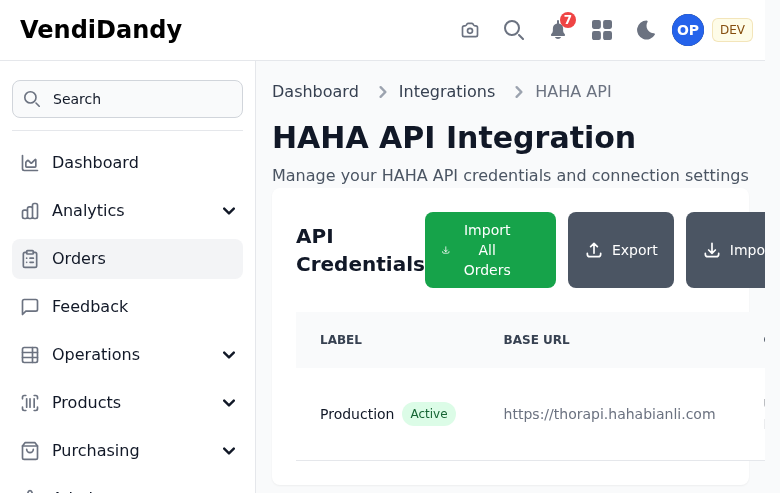
Overview
The HaHa integration enables:
- Automatic machine discovery
- Real-time sales sync
- Inventory level updates
- Price management
Setting Up
Prerequisites
- Active HaHa account
- API credentials from HaHa
Configuration
- Go to Integrations > HaHa
- Click Add Credentials
- Enter your HaHa API credentials:
- API Key
- API Secret
- Owner ID
- Click Test Connection
- If successful, click Save

Syncing Data
Automatic Sync
Once connected, VendVice syncs with HaHa automatically:
- Machines - Every 4 hours
- Sales - Every hour
- Inventory - Every 2 hours
Manual Sync
Force an immediate sync:
- Go to Integrations > HaHa
- Click Sync Now
- Select what to sync:
- Machines only
- Sales only
- Everything
Import Features
Machine Import
Import machines from HaHa:
- Click Import Machines
- Review discovered machines
- Select which to import
- Map to locations (optional)
- Confirm import
Sales Import
Historical sales can be imported:
- Click Import Sales
- Select date range
- Choose machines
- Start import
Troubleshooting
Connection Failed
- Verify API credentials are correct
- Check HaHa account is active
- Ensure Owner ID matches your account
Missing Data
- Check sync status in the log
- Verify machine is active in HaHa
- Try manual sync